Hotkey
Nyrna can be invoked conveniently with a hotkey.
You can use something like AntiMicroX to trigger this hotkey with your gamepad, allowing you to suspend/resume your game with just your controller.
Wayland
Wayland does not support global hotkeys, so the other methods described in this document will not work on Wayland. However, you can still use your desktop environment's built-in hotkey functionality to trigger the CLI method described below.
KDE Plasma
- Open System Settings and navigate to
Keyboard>Shortcuts. - Click the
Add Newbutton →Command or Scipt - Set the
Commandfield tonyrna --toggle(orflatpak run codes.merritt.Nyrna --toggleif using the Flatpak version). - Click
Saveand set the desired hotkey.
Active Window
GUI
If Nyrna is running, the keyboard key Pause will toggle suspend/resume for the
active window.
The hotkey can be changed in the settings.
CLI
Nyrna can be invoked from the command line with the -t or --toggle flag.
./nyrna --toggle
flatpak run codes.merritt.Nyrna --toggle
.\nyrna.exe --toggle
Specific Applications
Separate hotkeys can be set in the settings to toggle suspend/resume for specific applications.
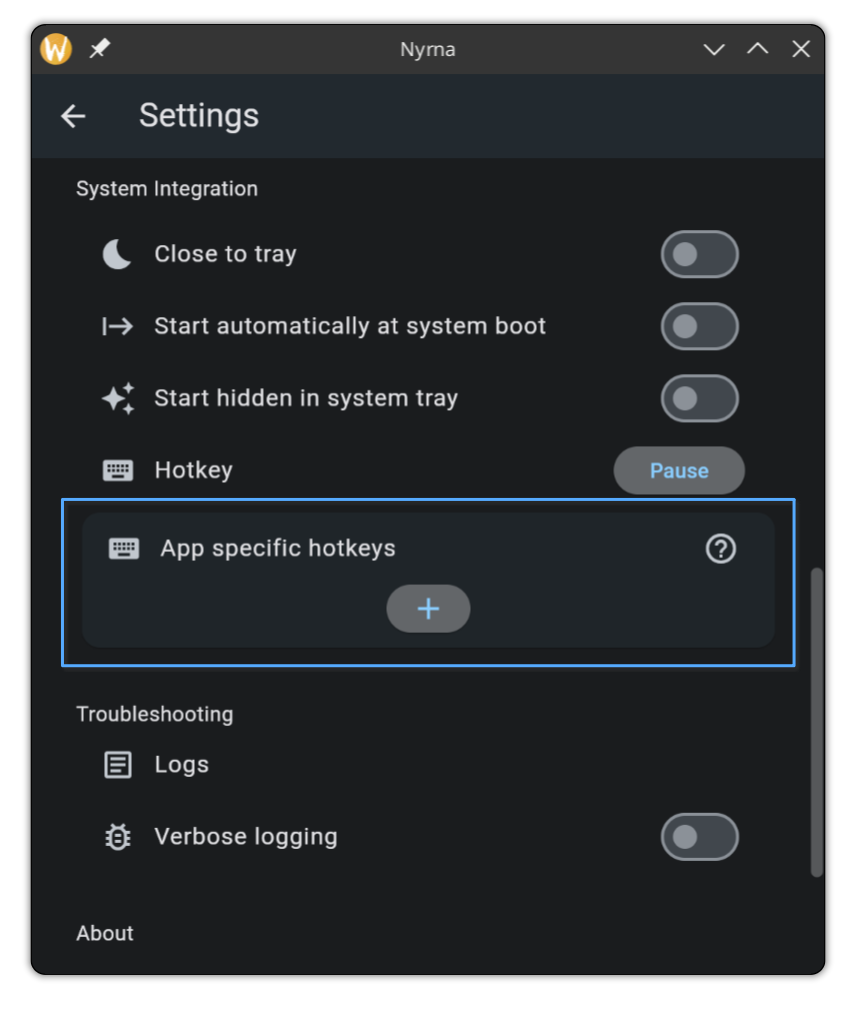
Only the GUI method is available for specific applications.